April 2021
Calendar
There are a few changes in the UI of the new time sheet calendar:
Settings
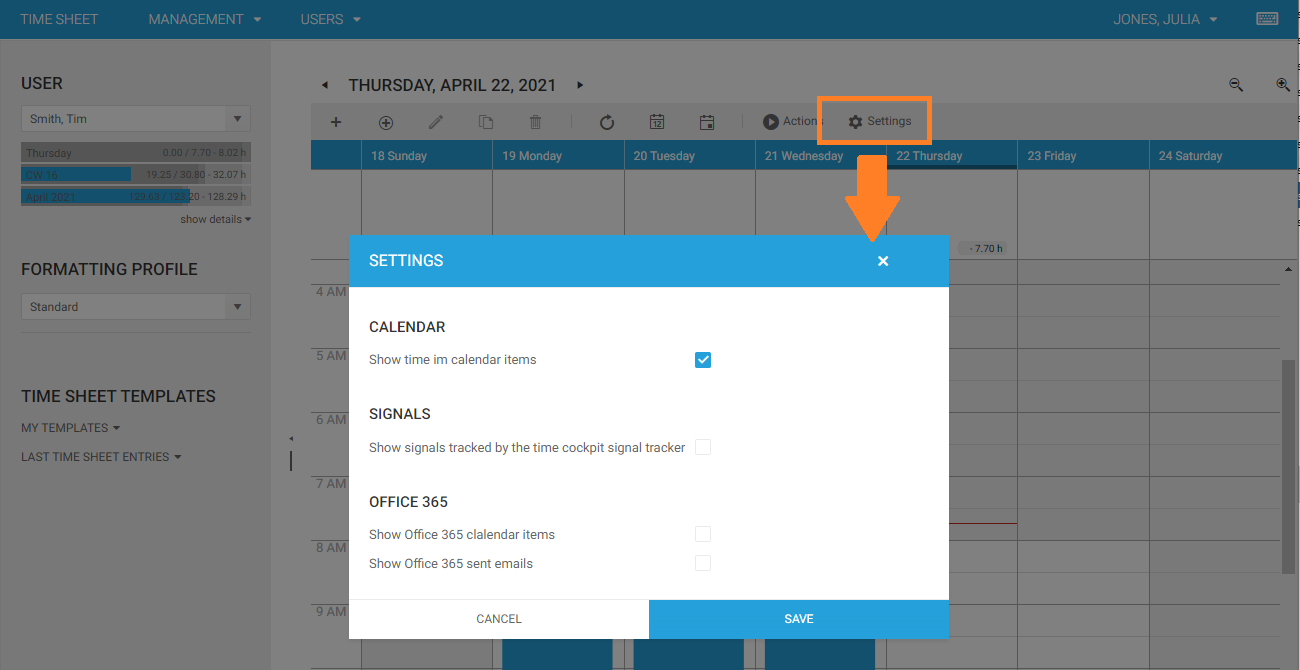
We have removed the Plugins menu item, instead there is a new Settings item in the toolbar above the calendar.
Office 365
If your have checked Show Office 365 calender items or Show Office 365 sent emails in the new settings dialog, you will find a new Icon in the toolbar above the calendar. It will be yellow highlighted, if your are currently not singed in.

Mobile View
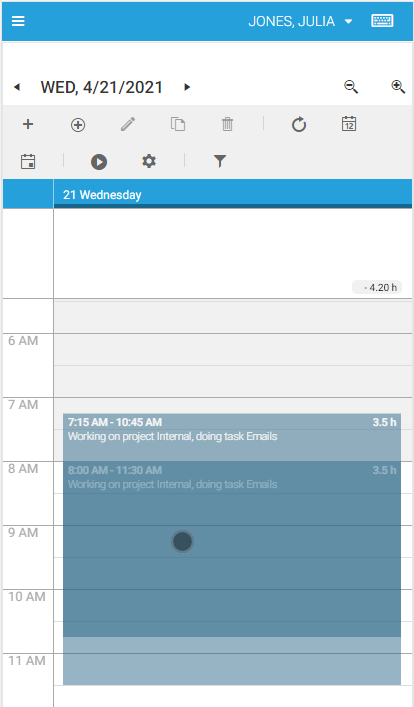
It is now possible to drag & resize time sheet entries in the mobile view of the calendar. Press time sheet entries for a second to enable drag & drop, when the color changes you can drag the item.
When you tap a time sheet entry, resize handles will become visible that allow you to change begin and end time.
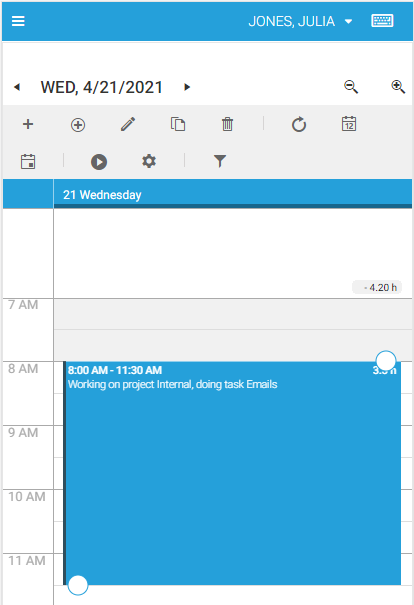
Swipe left and right to change the selected day.
Forms
SaveButtonCell
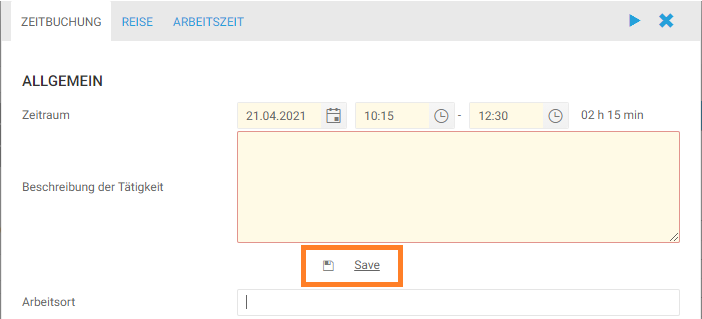
There is a new type of form control, that allows you to show a save button in the form.
<web:SaveButtonCell
    Content="='Save and load dependencies'"
    Header=" "
    Icon="save"
    LabelPosition="None"
    Align="Center|Left|Right"
    Close="False"
    Foreground="=:Iif(Current.APP_Description = 'red', 'Red', 'Green')"
    IsEnabled="=:Iif(Current.APP_Description = 'test', False, True)"
    IsVisible="=:Iif(Current.APP_Description = 'test', 'Collapsed', 'Visible')" />
You can find the list of available icons at https://www.telerik.com/kendo-angular-ui/components/styling/icons/.
Bug Fixes & Improvements
- Scrollbar in import results table was not shown.